Switch from Samsara

Switching from Samsara to ProLogELD

A clear path to move your trucks to ProLogELD, with setup and driver training done before switch day.

Simple ELD, priced for your fleet.

Two plans, Basic and Complete, quoted for the number of trucks you run. Your drivers get one app for logs, inspections and roadside.

  • Driver app for iPhone and Android, plus a web dashboard for the office
  • HOS clocks, logs, certification, DVIR and roadside log transfer
  • Team driving, fuel level and range, truck stop planning
  • Live map and share-a-tracking-link for brokers
  • Website in English and Spanish
  • Two plans, Basic and Complete, priced for your fleet size
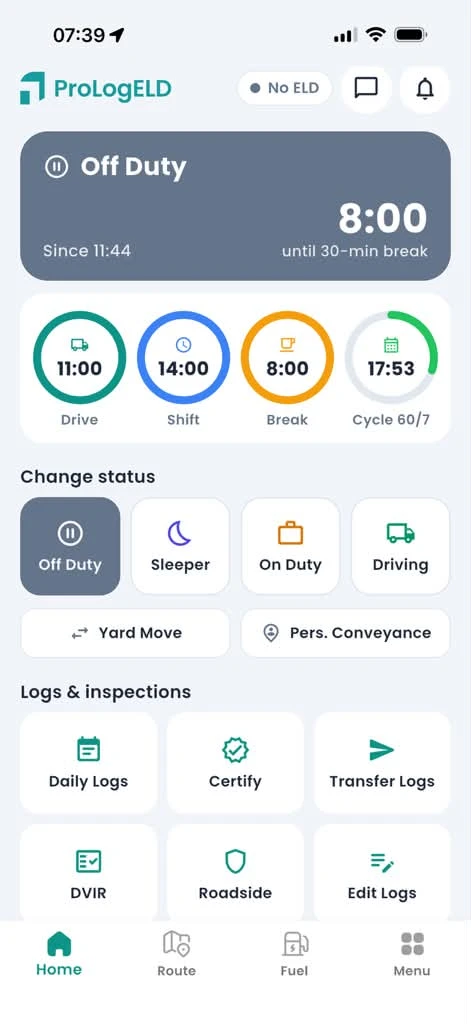
ProLogELD driver app

How the switch works

Step 1

Tell us about your fleet

Trucks, drivers, current ELD and how you run. We send your price and a setup plan.

Step 2

We set everything up

Drivers, vehicles and ELD devices are added before your switch day, so nothing changes on the road yet.

Step 3

Drivers learn the app

A short walkthrough of duty status, HOS clocks, DVIR and the roadside screen.

Step 4

Switch on a planned day

Keep your current ELD running until switch day, then drivers log in to ProLogELD. No gap in compliance.

Before you switch, download your last 6 months of logs and supporting documents from your current provider. FMCSA requires carriers to keep them for 6 months (49 CFR 395.8(k)).

Questions

Do I have to cancel Samsara first?

No. Keep it running until your switch day. Check your Samsara contract and cancellation terms before you plan the date.

What happens to my old logs?

Download them from Samsara before you cancel and keep them for at least 6 months. ProLogELD starts recording from your switch day.

Will my drivers need new hardware?

Tell us your current devices on the quote form. We confirm compatibility, or supply a PT30.

Get your fleet price.

Tell us about your fleet and we will send you a quote.

Motive and Samsara are trademarks of their respective owners. ProLogELD is not affiliated with them.